
OTOBO REST API Guide – Configuration, Endpoints & Examples
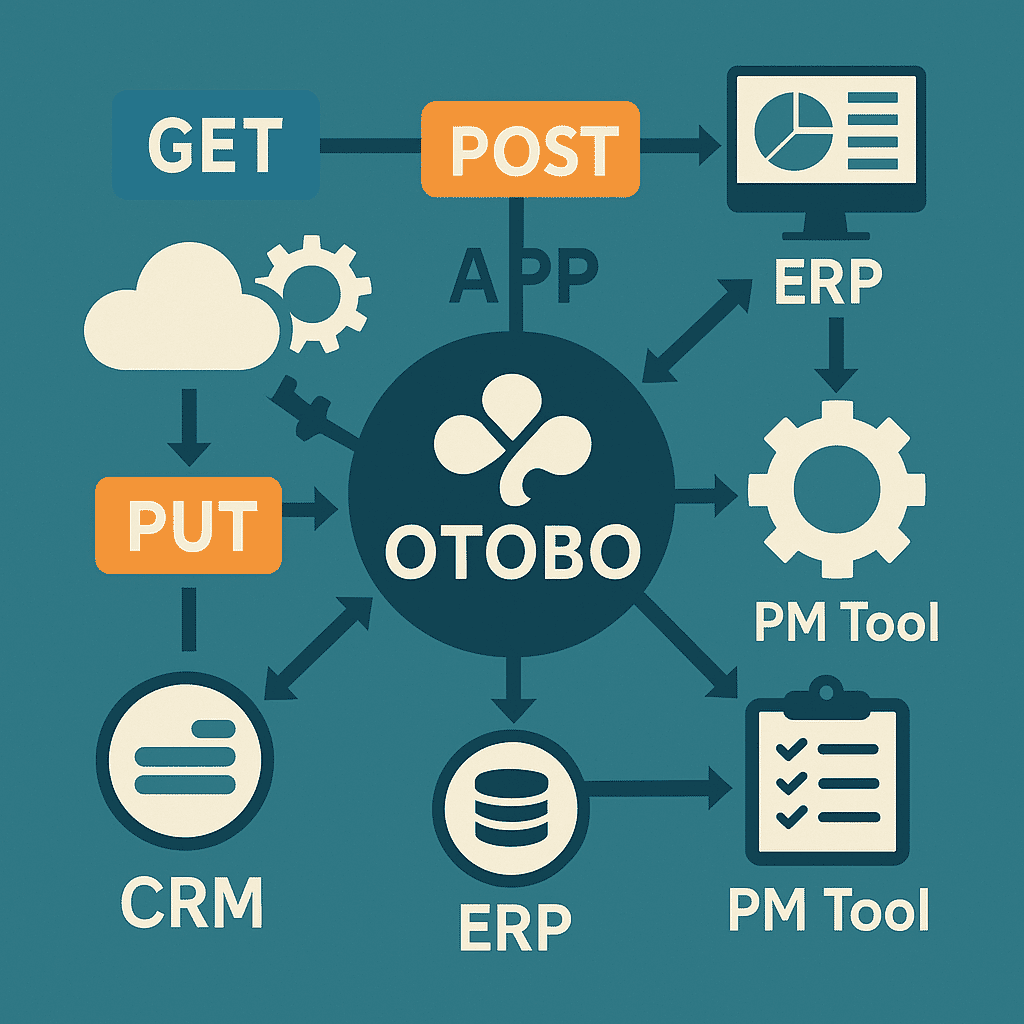
In this guide: Activate, configure, and integrate the OTOBO REST API (Generic Interface) into your applications.
Related: Web Services overview · OpenID Connect · Performance tuning · Professional support
In this comprehensive guide, you will learn how to activate, configure, and integrate the OTOBO REST API (part of the Generic Interface) into your own applications.
1. Architecture & Basics
Section titled “1. Architecture & Basics”OTOBO provides its Generic Interface via REST and SOAP web services. The REST API communicates via HTTP(S)/JSON and enables:
- Ticket Operations: Create, Retrieve, Update, Delete
- Article Operations: Post, Manage Attachments
- History & Search: Ticket history and complex search queries
Note: A standard installation does not contain preconfigured web services – you create them yourself in the admin module “Processes & Automation → Web Services”.
2. Configuration
Section titled “2. Configuration”2.1 Activate Generic Interface
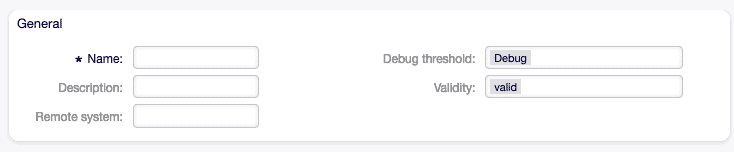
Section titled “2.1 Activate Generic Interface”- In the Admin area → SysConfig → GenericInterface.Transport, change to REST (HTTP).
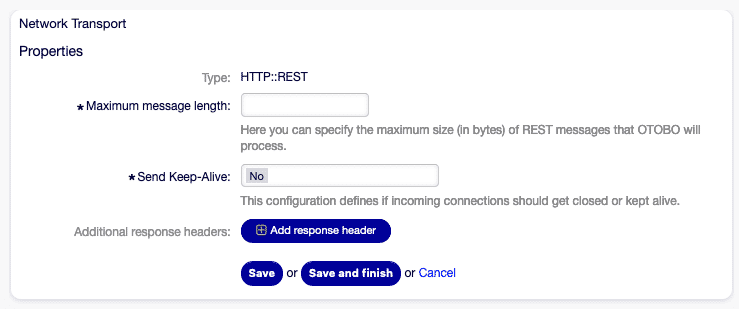
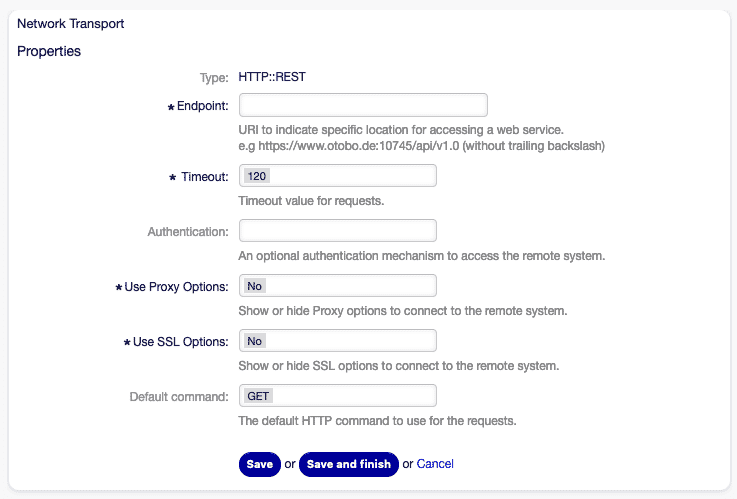
- Under AdminGenericInterfaceTransportHTTPREST, set timeouts, host headers, and debug levels.
- In GenericInterface.Operation, create and activate the desired operations (e.g.,
TicketCreate,TicketSearch,TicketGet,TicketUpdate,TicketDelete,TicketHistoryGet).
2.2 Base URL & Authentication
Section titled “2.2 Base URL & Authentication”-
Base URL
https://YOUR-SERVER/otobo/nph-genericinterface.pl/Webservice/<YourServiceName>/ -
Authentication
- OTOBO session cookies
- API keys / tokens (create via SysConfig)
- Always use HTTPS!
3. Endpoints & HTTP Methods (Detail)
Section titled “3. Endpoints & HTTP Methods (Detail)”For each endpoint, you will find a detailed overview of parameters, possible responses, and practical examples here.
3.1 TicketCreate (POST)
Section titled “3.1 TicketCreate (POST)”URL: /Webservice/<ServiceName>/TicketCreate
Method: POST
Description: Creates a new ticket and simultaneously creates an article.
| Parameter | Type | Required | Description |
|---|---|---|---|
| SessionID | Integer | Yes¹ | Session ID or UserLogin+Password |
| UserLogin | String | Yes² | Agent login (in combination with password) |
| Password | String | Yes² | Password (in combination with UserLogin) |
| Ticket.Title | String | Yes | Subject of the ticket |
| Ticket.Queue | String | Yes | Queue name or Ticket.QueueID |
| Ticket.State | String | Yes | Initial state (e.g., new) |
| Ticket.Priority | String | Yes | Priority (e.g., 3 normal) |
| Ticket.CustomerUser | String | Yes | Customer email or login |
| Article.Subject | String | Yes | Subject of the first article |
| Article.Body | String | Yes | Content of the first article |
| Article.MimeType | String | Yes | text/plain or text/html |
¹ Either SessionID OR UserLogin+Password required. ² If no SessionID token is available.
Example Request:
POST /Webservice/MyConnectorREST/TicketCreate HTTP/1.1Host: demo.otobo.orgContent-Type: application/jsonX-API-Key: abc123
{  "Data": {    "SessionID":  42,    "Ticket": {      "Title":        "New Order",      "Queue":        "Sales",      "State":        "new",      "Priority":     "3 normal",      "CustomerUser": "max.mustermann@example.com"    },    "Article": {      "Subject":  "Purchase Inquiry – Product XY",      "Body":     "Please provide a price quote…",      "MimeType": "text/plain"    }  }}
Example Response:
{ "Success": 1, "ErrorMessage": "", "Data": { "TicketID": "12345", "ArticleID": "67890" }}3.2 TicketSearch (GET)
Section titled “3.2 TicketSearch (GET)”URL: /Webservice/<ServiceName>/TicketSearch
Method: GET
Description: Searches for tickets based on various filter criteria.
| Parameter | Type | Required | Description |
|---|---|---|---|
| UserLogin, Password | String,String | Yes¹ | Agent credentials or SessionID² |
| SessionID | Integer | Yes² | Token for authenticated sessions |
| Title | String/String[] | No | Wildcard search in title (%Order%) |
| TicketNumber | String/String[] | No | Ticket number(s) |
| QueueIDs | Integer[] | No | Queue IDs |
| States | String[] | No | States (new, open, …) |
| StateType | String/String[] | No | Open/Closed category |
| DynamicField_Name.Op | Mixed | No | Dynamic fields with operator (Equals, Like, GreaterThan …) |
¹ Either UserLogin+Password OR SessionID. ² If no login pair is provided.
Example Request:
GET /Webservice/MyConnectorREST/TicketSearch?UserLogin=agent1&Password=secret&Title=%25Order%25 HTTP/1.1Host: demo.otobo.orgExample Response:
{ "Success": 1, "Data": { "TicketID": [1001,1005,1012] }}3.3 TicketGet (GET)
Section titled “3.3 TicketGet (GET)”URL: /Webservice/<ServiceName>/TicketGet
Method: GET
Description: Returns detailed ticket data including articles, attachments, and dynamic fields.
| Parameter | Type | Required | Description |
|---|---|---|---|
| UserLogin, Password | String,String | Yes¹ | Agent credentials or SessionID² |
| SessionID | Integer | Yes² | Token for authenticated sessions |
| TicketID | String/String[] | Yes | One or more ticket IDs (comma-separated or array) |
| DynamicFields | Boolean (0/1) | No | 1 = Dynamic fields in result, default = 0 |
| Extended | Boolean | No | 1 = Extended metadata (e.g., FirstResponse) |
| AllArticles | Boolean | No | 1 = Return all articles |
| ArticleLimit | Integer | No | Max. number of returned articles |
| Attachments | Boolean | No | 1 = Embed attachments in Base64 |
| GetAttachmentContents | Boolean | No | 1 = Also load attachment contents |
| HTMLBodyAsAttachment | Boolean | No | 1 = Attach HTML version of the article as attachment |
¹ Either UserLogin+Password OR SessionID. ² If no login pair is provided.
Example Request:
GET /Webservice/MyConnectorREST/TicketGet?SessionID=42&TicketID=12345&AllArticles=1&DynamicFields=1 HTTP/1.1Host: demo.otobo.orgExample Response (abbreviated):
{ "Success":1, "Data":{ "Ticket":[{ "TicketID":12345, "TicketNumber":"202501230001", "Title":"New Order", "State":"open", "DynamicField":[{"Name":"Urgency","Value":"high"}], "Article":[{ "ArticleID":67890, "Subject":"Purchase Inquiry…", "Body":"Please provide a price quote…", "Attachment":[{"Filename":"Quote.pdf","Content":"JVBERi0x…="}] }] }] }}3.4 TicketUpdate (PUT)
Section titled “3.4 TicketUpdate (PUT)”URL: /Webservice/<ServiceName>/TicketUpdate
Method: PUT
Description: Updates fields of an existing ticket and optionally creates a new article.
| Parameter | Type | Required | Description |
|---|---|---|---|
| SessionID | Integer | Yes¹ | Token or UserLogin+Password² |
| TicketID | Integer | Yes | ID of the ticket to update |
| Ticket.Title | String | No | New title |
| Ticket.State | String | No | New state |
| Ticket.Owner | String/ID | No | New owner |
| Ticket.PendingTime | Hash / Diff | No | New pending time |
| Article.Subject | String | No | Creates a new article |
| Article.Body | String | No | Content of the new article |
| DynamicField… | Array | No | Update dynamic fields |
| Attachment… | Array | No | Add new attachments |
¹ Either SessionID OR UserLogin+Password. ² If no SessionID token is available.
Example Request:
PUT /Webservice/MyConnectorREST/TicketUpdate HTTP/1.1Host: demo.otobo.orgContent-Type: application/jsonX-API-Key: abc123
{  "Data":{    "SessionID":42,    "TicketID":12345,    "Ticket":{ "State":"pending reminder","PendingTime":{"Diff":1440} },    "Article":{ "Subject":"Reminder set","Body":"Ticket is being processed." }  }}
Example Response:
{ "Success":1, "ErrorMessage":"", "Data":{ "TicketID":12345, "ArticleID":67891 } }3.5 TicketDelete (DELETE)
Section titled “3.5 TicketDelete (DELETE)”URL: /Webservice/<ServiceName>/TicketDelete
Method: DELETE
Description: Permanently deletes one or more tickets.
| Parameter | Type | Required | Description |
|---|---|---|---|
| SessionID | Integer | Yes¹ | Token or UserLogin+Password² |
| TicketID | String/Array | Yes | One or more ticket IDs |
Example Request:
DELETE /Webservice/MyConnectorREST/TicketDelete?SessionID=42&TicketID=12345 HTTP/1.1Host: demo.otobo.orgExample Response:
{ "Success":1, "ErrorMessage":"", "Data":{} }3.6 TicketHistoryGet (GET)
Section titled “3.6 TicketHistoryGet (GET)”URL: /Webservice/<ServiceName>/TicketHistoryGet
Method: GET
Description: Retrieves the history of one or more tickets.
| Parameter | Type | Required | Description |
|---|---|---|---|
| SessionID | Integer | Yes¹ | Token or UserLogin+Password² |
| TicketID | String/Array | Yes | One or more ticket IDs |
Example Request:
GET /Webservice/MyConnectorREST/TicketHistoryGet?SessionID=42&TicketID=12345 HTTP/1.1Host: demo.otobo.orgExample Response (abbreviated):
{ "Success": 1, "ErrorMessage": "", "Data": { "TicketID": 12345, "History": [ { "HistoryType": "NewTicket", "Name": "New ticket created", "CreateTime": "2025-01-23 09:15:00" }, { "HistoryType": "StateUpdate", "Name": "Changed state to open", "CreateTime": "2025-01-23 10:02:11" } ] }}4. Extension & Customization
Section titled “4. Extension & Customization”4.1 WADL Definition
Section titled “4.1 WADL Definition”New resources in GenericTicketConnectorREST.wadl:
<resource path="MyTest" id="MyTest"> <method name="GET" id="GET_MyTest"> <response status="200"> <representation mediaType="application/json"/> </response> </method></resource>4.2 YAML Import
Section titled “4.2 YAML Import”Alternatively via YAML in development/webservices/GenericTicketConnectorREST.yml:
Provider: Operation: MyTest: Description: "Test operation" MappingInbound: { } MappingOutbound: { } Type: Test::ModuleTransport: Config:RouteOperationMapping: MyTest: RequestMethod: [ GET ] Route: /MyTest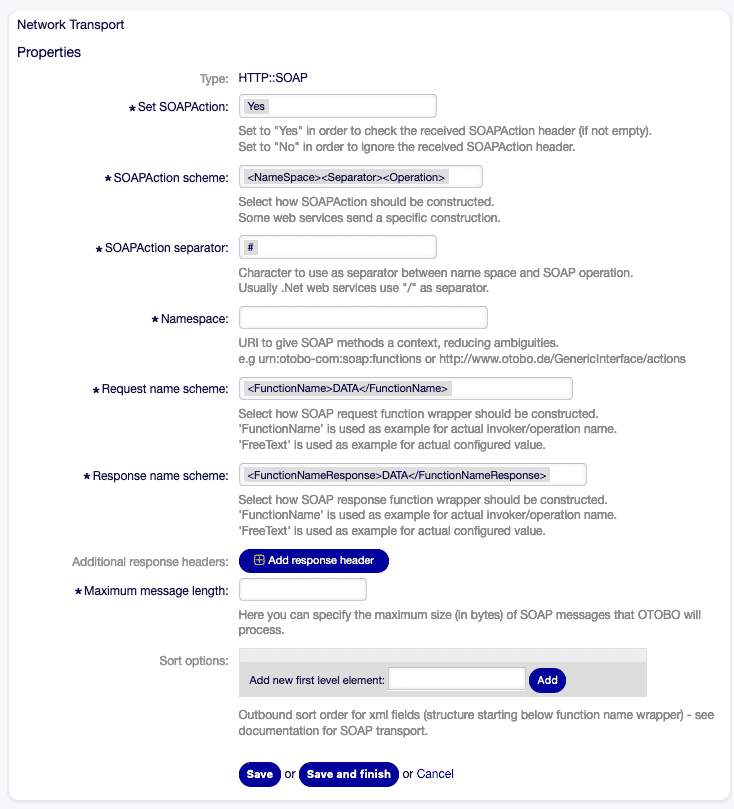
5. Error Handling & Logging
Section titled “5. Error Handling & Logging”- Success indicator:
Success: 0|1 - Error message:
ErrorMessagein JSON - Debugging: Set
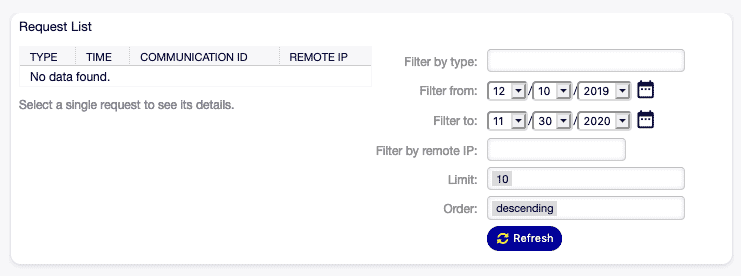
Debug-LeveltoDebugin the transport dialog → Log entries visible in DB
6. Use Cases
Section titled “6. Use Cases”| Scenario | Description |
|---|---|
| Cross-system automation | Create tickets from monitoring tools (Nagios, Zabbix) |
| Data synchronization | Batch updates of ticket fields from external CRM |
| Self-service portals | Customers create their own tickets via REST |
| Mobile apps | Native iOS/Android apps communicate via REST |
7. Further UI Elements & Integration
Section titled “7. Further UI Elements & Integration”Clone Web Service
Section titled “Clone Web Service”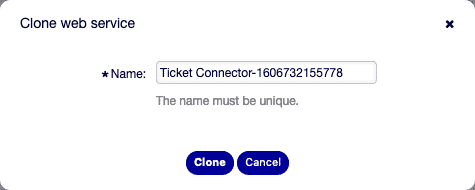
Error Handling Module
Section titled “Error Handling Module”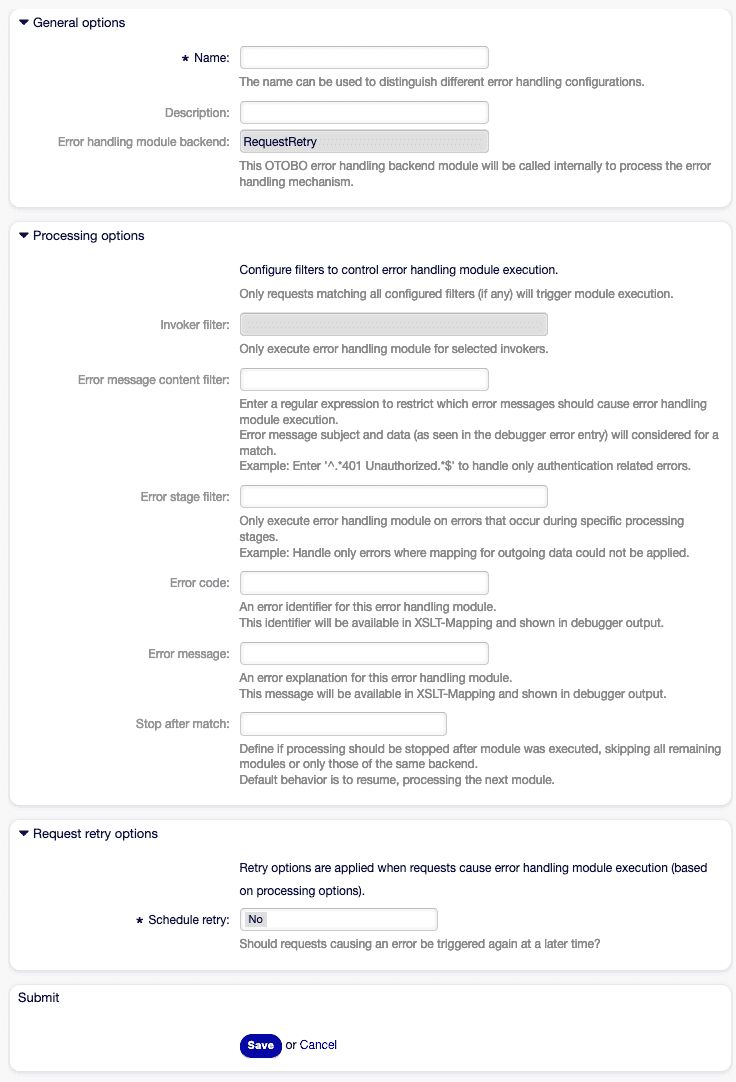
Conclusion
Section titled “Conclusion”The OTOBO REST API is flexible, performant, and highly extensible thanks to the Generic Interface. Whether for simple ticket creation or complex workflow automation – with just a few clicks in the admin area and standard JSON requests, you can realize seamless integrations into any IT landscape.
FAQ: OTOBO REST API
Section titled “FAQ: OTOBO REST API”Does OTOBO ship with a ready-to-use REST API?
Section titled “Does OTOBO ship with a ready-to-use REST API?”No. A standard installation has no preconfigured web services. You create them yourself under Processes & Automation → Web Services (or import a YAML definition like the one shown above).
How do I authenticate against the OTOBO REST API?
Section titled “How do I authenticate against the OTOBO REST API?”You authenticate either with a SessionID (created via a SessionCreate operation) or by passing UserLogin + Password with each request. Always use HTTPS so credentials and tokens are never sent in clear text.
What is the base URL of the REST API?
Section titled “What is the base URL of the REST API?”https://YOUR-SERVER/otobo/nph-genericinterface.pl/Webservice/<YourServiceName>/. Each operation (e.g. TicketCreate) is then mapped to a route you define in the transport configuration.
Which ticket operations are available?
Section titled “Which ticket operations are available?”Out of the box you can configure TicketCreate, TicketSearch, TicketGet, TicketUpdate, TicketDelete, and TicketHistoryGet. You can add custom operations via the GenericInterface.
Is there a Python client for the OTOBO REST API?
Section titled “Is there a Python client for the OTOBO REST API?”Yes — the open-source otobo package provides an async, typed client built on httpx and pydantic. See the quickstart below.
Python Client: OpenTicketAI otobo
Section titled “Python Client: OpenTicketAI otobo”The OpenTicketAI package otobo is an asynchronous Python client for the OTOBO GenericInterface REST API. It uses httpx and pydantic for typed requests, response models, and ticket workflow helpers. See the full OpenTicketAI OTOBO Python SDK documentation for setup details.
Features
Section titled “Features”-
Asynchronous HTTP requests using
httpx.AsyncClient -
Pydantic models for request and response data validation
-
Full CRUD operations for tickets:
TicketCreateTicketSearchTicketGetTicketUpdateTicketHistoryGet
-
Error handling via
OTOBOErrorfor API errors -
Utility method
search_and_getto combine search results with detailed retrieval
Installation
Section titled “Installation”Install the package from PyPI:
pip install otoboQuickstart
Section titled “Quickstart”Setup OTOBO Webservices:
Section titled “Setup OTOBO Webservices:”Create a new web service in OTOBO with the following configuration:
---Debugger: DebugThreshold: debug TestMode: '0'Description: ''FrameworkVersion: 11.0.5Provider: Operation: session-create: Description: '' IncludeTicketData: '0' MappingInbound: Type: Simple MappingOutbound: Type: Simple Type: Session::SessionCreate ticket-create: Description: '' IncludeTicketData: '1' MappingInbound: Type: Simple MappingOutbound: Type: Simple Type: Ticket::TicketCreate ticket-get: Description: '' IncludeTicketData: '0' MappingInbound: Config: KeyMapDefault: MapTo: '' MapType: Keep ValueMapDefault: MapTo: '' MapType: Keep Type: Simple MappingOutbound: Type: Simple Type: Ticket::TicketGet ticket-history-get: Description: '' IncludeTicketData: '0' MappingInbound: Type: Simple MappingOutbound: Type: Simple Type: Ticket::TicketHistoryGet ticket-search: Description: '' IncludeTicketData: '0' MappingInbound: Type: Simple MappingOutbound: Type: Simple Type: Ticket::TicketSearch ticket-update: Description: '' IncludeTicketData: '1' MappingInbound: Type: Simple MappingOutbound: Type: Simple Type: Ticket::TicketUpdate Transport: Config: AdditionalHeaders: ~ KeepAlive: '1' MaxLength: '16000' RouteOperationMapping: session-create: RequestMethod: - HEAD - OPTIONS - PATCH - POST - PUT Route: /session ticket-create: RequestMethod: - HEAD - OPTIONS - POST Route: /ticket ticket-get: RequestMethod: - HEAD - OPTIONS - POST Route: /ticket/get ticket-history-get: RequestMethod: - HEAD - OPTIONS - POST Route: /ticket/history ticket-search: RequestMethod: - HEAD - OPTIONS - POST Route: /ticket/search ticket-update: RequestMethod: - HEAD - OPTIONS - PATCH - PUT Route: /ticket Type: HTTP::RESTRemoteSystem: ''Requester: Transport: Type: HTTP::RESTCreate a new Agent
Section titled “Create a new Agent”Create a new Otobo Agent with a secure password and give it the permissions needed for the thing you want to accomplish.
1. Configure the client
Section titled “1. Configure the client”from otobo import TicketOperation, OTOBOClientConfigfrom otobo import AuthData
config = OTOBOClientConfig( base_url="https://your-otobo-server/nph-genericinterface.pl", service="OTOBO", auth=AuthData(UserLogin="user1", Password="SecurePassword"), operations={ TicketOperation.CREATE.value: "ticket", TicketOperation.SEARCH.value: "ticket/search", TicketOperation.GET.value: "ticket/get", TicketOperation.UPDATE.value: "ticket", TicketOperation.HISTORY_GET.value: "ticket/history", })2. Initialize the client
Section titled “2. Initialize the client”import loggingfrom otobo import OTOBOClient
logging.basicConfig(level=logging.INFO)
client = OTOBOClient(config)3. Create a ticket
Section titled “3. Create a ticket”from otobo import (TicketOperation, OTOBOClientConfig, AuthData, TicketSearchParams, TicketCreateParams, TicketHistoryParams, TicketUpdateParams, \ TicketGetParams, OTOBOClient, OTOBOTicketCreateResponse)
payload = TicketCreateParams( Ticket={ "Title": "New Order", "Queue": "Sales", "State": "new", "Priority": "3 normal", "CustomerUser": "customer@example.com" }, Article={ "Subject": "Product Inquiry", "Body": "Please send pricing details...", "MimeType": "text/plain" })
response: OTOBOTicketCreateResponse = await client.create_ticket(payload)print(response.TicketID, response.TicketNumber)4. Search and retrieve tickets
Section titled “4. Search and retrieve tickets”from otobo import TicketSearchParams, TicketGetParams
search_params = TicketSearchParams(Title="%Order%")search_res = await client.search_tickets(search_params)ids = search_res.TicketID
for ticket_id in ids: get_params = TicketGetParams(TicketID=ticket_id, AllArticles=1) details = await client.get_ticket(get_params) print(details.Ticket[0])5. Update a ticket
Section titled “5. Update a ticket”from otobo import TicketUpdateParams
update_params = TicketUpdateParams( TicketID=response.TicketID, Ticket={"State": "closed"})await client.update_ticket(update_params)6. Get ticket history
Section titled “6. Get ticket history”from otobo import TicketHistoryParams
history_params = TicketHistoryParams(TicketID=str(response.TicketID))history_res = await client.get_ticket_history(history_params)print(history_res.History)7. Combined search and get
Section titled “7. Combined search and get”from otobo import FullTicketSearchResponse
full_res: FullTicketSearchResponse = await client.search_and_get(search_params)License
Section titled “License”MIT © Softoft, Tobias A. Bueck