
OTOBO System Configuration – Managing Settings
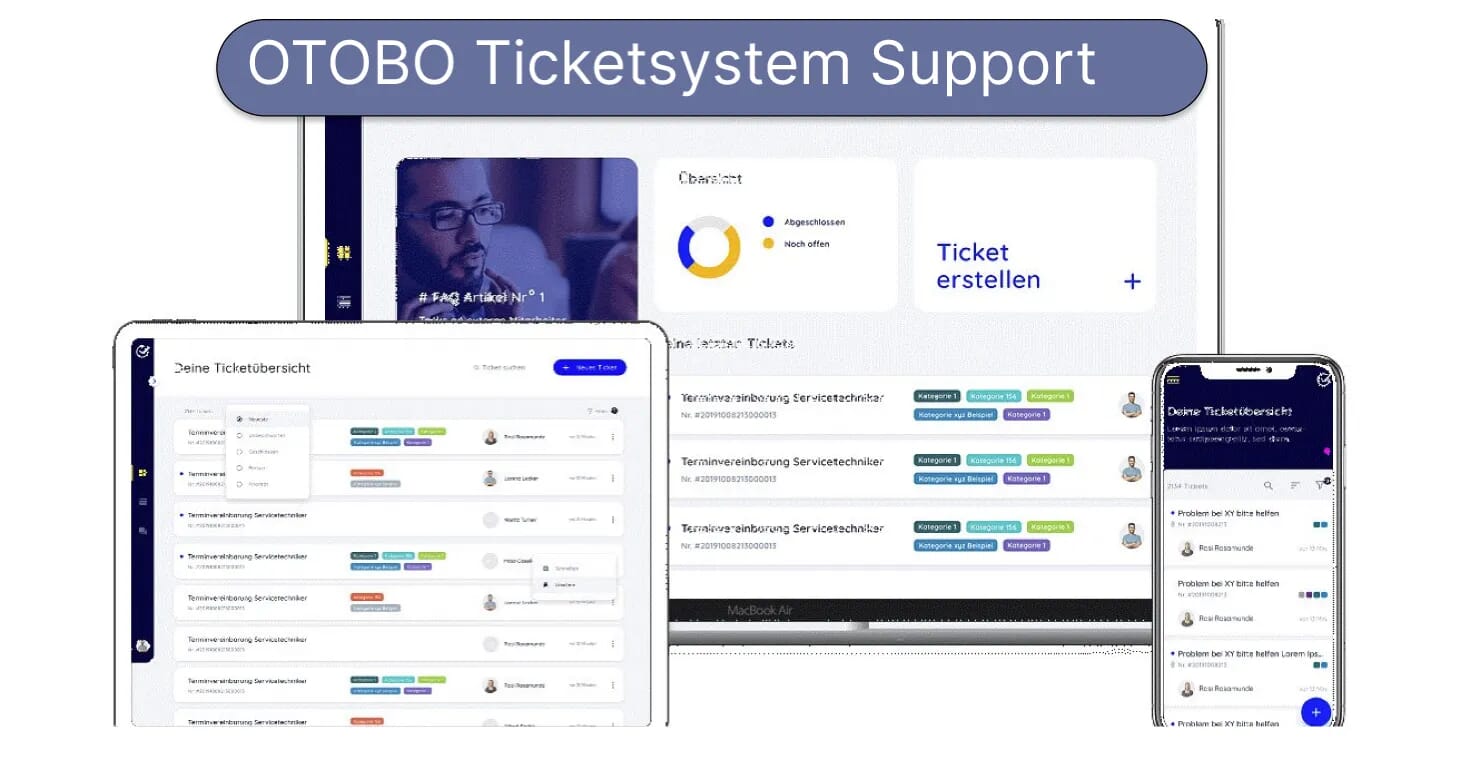
The System Configuration in OTOBO/Znuny is the heart of customization and fine-tuning:
– All changes are made via a central graphical interface.
– Versioning and audit logs document who, when, and what values were changed.
– In case of errors, any setting can be reset to a previous state.
1. Quick Start: Opening System Configuration
Section titled “1. Quick Start: Opening System Configuration”- Log in as an administrator in the Agent interface.
- Navigate to Administration → System Configuration.
- Use the full-text search bar to find what you need immediately among the approximately 2,200 configuration keys.

2. Finding and Opening a Setting
Section titled “2. Finding and Opening a Setting”- Enter search term – the full-text search scans names, descriptions, and values.
- Select result:

- Expand widget:
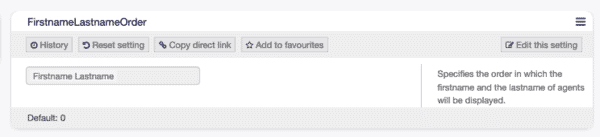
3. Editing and Saving Values
Section titled “3. Editing and Saving Values”-
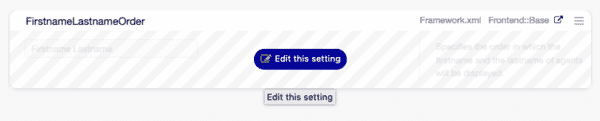
Hover the mouse over the widget → “Edit this setting”:
-
Change the value and click Save:
-
Confirm the change:


4. Version Comparison & Resetting
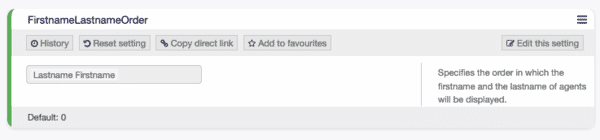
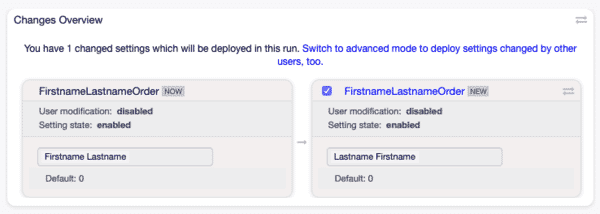
Section titled “4. Version Comparison & Resetting”After saving, a diff log is automatically generated – allowing you to see old vs. new values at a glance:
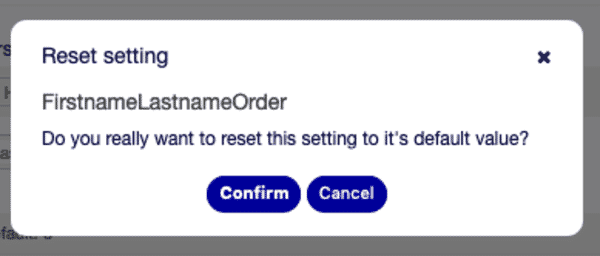
If something goes wrong, you can jump back to the previous value at any time using “Reset”:
5. Activating Changes (Deploy)
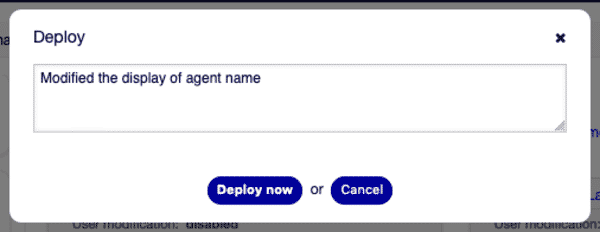
Section titled “5. Activating Changes (Deploy)”Clicking “Deploy settings” applies all local changes:

6. Navigation & Category Tree
Section titled “6. Navigation & Category Tree”The navigation tree on the side organizes configurations by modules and subgroups.
Each category displays the number of its entries in parentheses:

This helps you keep track even when using additional packages (e.g., ITSM, FAQ, OAuth).
7. Import & Export of Entire Configurations
Section titled “7. Import & Export of Entire Configurations”- Export: Create backups or transfer your settings into
.ymlfiles. - Import: Load previously exported configurations into another system or synchronize test/staging instances.

8. Special Cases & Best Practices
Section titled “8. Special Cases & Best Practices”8.1 Logos & Branding
Section titled “8.1 Logos & Branding”Change the agent logo centrally via
Frontend::Agent::LogoURL
And adjust the customer portal logo:
Frontend::Customer::LogoURL
8.2 Authentication & SSO
Section titled “8.2 Authentication & SSO”Enable OAuth2/OpenID Connect or LDAP flexibly – entirely via System Configuration:
Core::Auth::Agent::ModuleCore::Auth::Customer::Module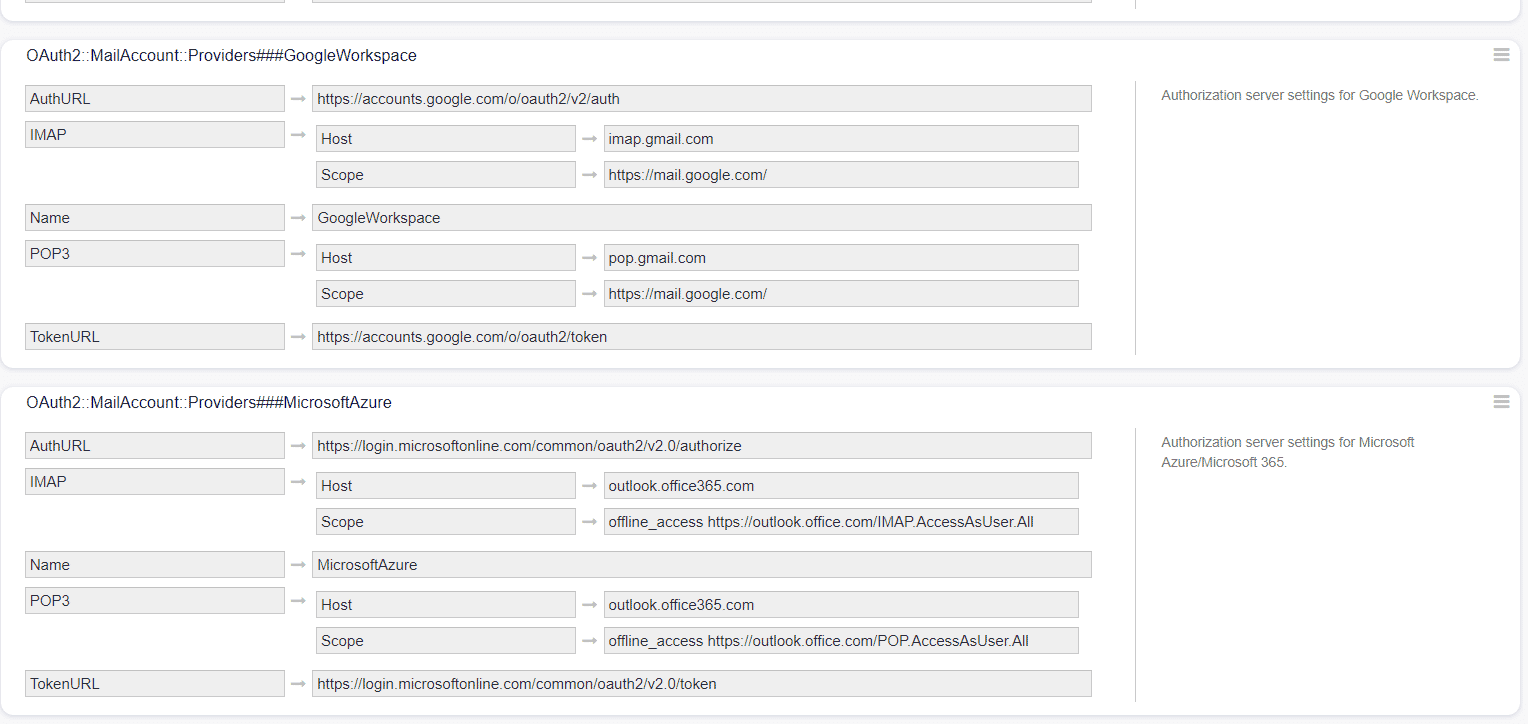
8.3 Dynamic Fields via Configuration
Section titled “8.3 Dynamic Fields via Configuration”Add new DynamicField drivers without programming:
Core::DynamicFields::DriverRegistration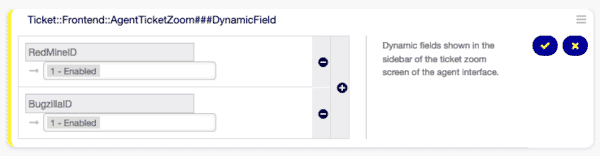
8.4 Controlling Menu Modules Individually
Section titled “8.4 Controlling Menu Modules Individually”Activate or deactivate front-end modules like AgentTicketZoom or CustomerTicketSearch via configuration:
Frontend::Agent::ModuleRegistration
9. Conclusion
Section titled “9. Conclusion”The OTOBO/Znuny System Configuration provides you with:
- Real-time search function: Find any key in seconds.
- Audit & Versioning: Every value change is documented.
- Rollback mechanism: One click back – no fear of misconfigurations.
- Import/Export: Perfect synchronization between production, staging, and test instances.
With these features, you can adapt your OTOBO system securely, transparently, and agilely to any new scenario – from branding and auth to individual plugins.
Further details can be found in the official OTOBO documentation.
Popular System Configurations
Section titled “Popular System Configurations”Here are the 30 most common system configurations in a clear table.
| Configuration Key | Description | Value |
|---|---|---|
NotificationSenderEmail | Sender email address for system notifications | support@<OTOBO_CONFIG_FQDN> |
PostmasterDefaultQueue | Default queue for the Postmaster | – |
FirstnameLastnameOrder | Order of first and last name | – |
Elasticsearch::TicketSearchFields | Fields used for ticket search in Elasticsearch | – |
Elasticsearch::TicketStoreFields | Fields used for storing tickets in Elasticsearch | – |
GenericAgentAllowCustomScriptExecution | Allows the Generic Agent to execute custom scripts | – |
DashboardBackend::AllowCmdOutput | Allows displaying console output in the dashboard | – |
Ticket::Frontend::CustomerTicketZoom###StateDefault | Default state for the customer ticket view | – |
Ticket::Frontend::CustomerDisableCompanyTicketAccess | Disables customer access to company tickets | – |
ACL::PossibleNot→Form→<FieldName> | ACL setting for negated form conditions | – |
PostmasterFollowUpState | State for Postmaster follow-up emails | – |
PostmasterFollowUpStateClosed | Closed state for Postmaster follow-ups | – |
Ticket::Frontend::AgentTicketZoomReply | Allows replies in the Agent Ticket Zoom | – |
AgentTicketCompose | Settings for composing new agent tickets | – |
Ticket::Frontend::MenuModule###550-Appointment | Menu module for appointments in the ticket frontend | – |
Ticket::Frontend::MoveType | Settings for ticket move types | – |
Ticket::Frontend::AgentTicketMove###RequiredLock | Requires lock when moving tickets by agents | – |
Ticket::Frontend::TicketNote###OwnerMandatory | Forces “Owner” as a mandatory field for ticket notes | – |
Core::Crypt::PGP | PGP encryption settings | – |
CustomerDashboard::Tiles###ServiceCatalog-01 | Dashboard tile for the service catalog | – |
Frontend::Module###CustomerTicketMessage | Frontend module for customer ticket messages | – |
CustomerTicketMessage | Configuration for customer ticket messages | – |
CustomerDashboard::Tiles###TicketList-01 | Dashboard tile for ticket list | – |
CustomerFrontend::Module###CustomerTicketMessage | Customer frontend module for ticket messages | – |
Ticket::GenericAgentAllowCustomScriptExecution | Allows Generic Agent to execute custom scripts (ticket module) | – |
Ticket::Frontend::AgentTicketNote###Subject | Subject setting for agent ticket notes | – |
Core::Time::Calendar1 | Time settings for calendar 1 | – |
TimeAccounting | Time accounting module | – |
DynamicField_<Name> | Placeholder for dynamic fields | – |
Ticket::NumberGenerator::MinCounterSize | Minimum counter length for ticket numbers | – |
Frequently asked questions
Where do you change OTOBO system settings?
In Admin → System Configuration, where settings can be searched, changed, and deployed through the graphical interface.
Can you reset a setting to its default?
Yes. The System Configuration UI supports resetting individual settings back to their default values.
Do configuration changes take effect immediately?
Most changes apply after you deploy/save them in System Configuration; some may require a reload or service restart.
What should I know about 6. Navigation & Category Tree?
The navigation tree on the side organizes configurations by modules and subgroups. Each category displays the number of its entries in parentheses: !Navigation tree This helps you keep track even when using additional packages (e.g., ITSM, FAQ, OAuth). ---
What should I know about 7. Import & Export of Entire Configurations?
Export: Create backups or transfer your settings into `.yml` files. Import: Load previously exported configurations into another system or synchronize test/staging instances. !Import & Export ---