
OTOBO AI Assistant – Custom GPT for OTOBO & Znuny
In this guide: Use the OTOBO AI Assistant (Custom GPT) to get instant, version-aware answers about OTOBO and Znuny configuration, modules, and automation.
Related: REST API · OTOBO AI features · OpenTicketAI – AI automation · OpenID Connect · Get support
What is the OTOBO AI Assistant?
Section titled “What is the OTOBO AI Assistant?”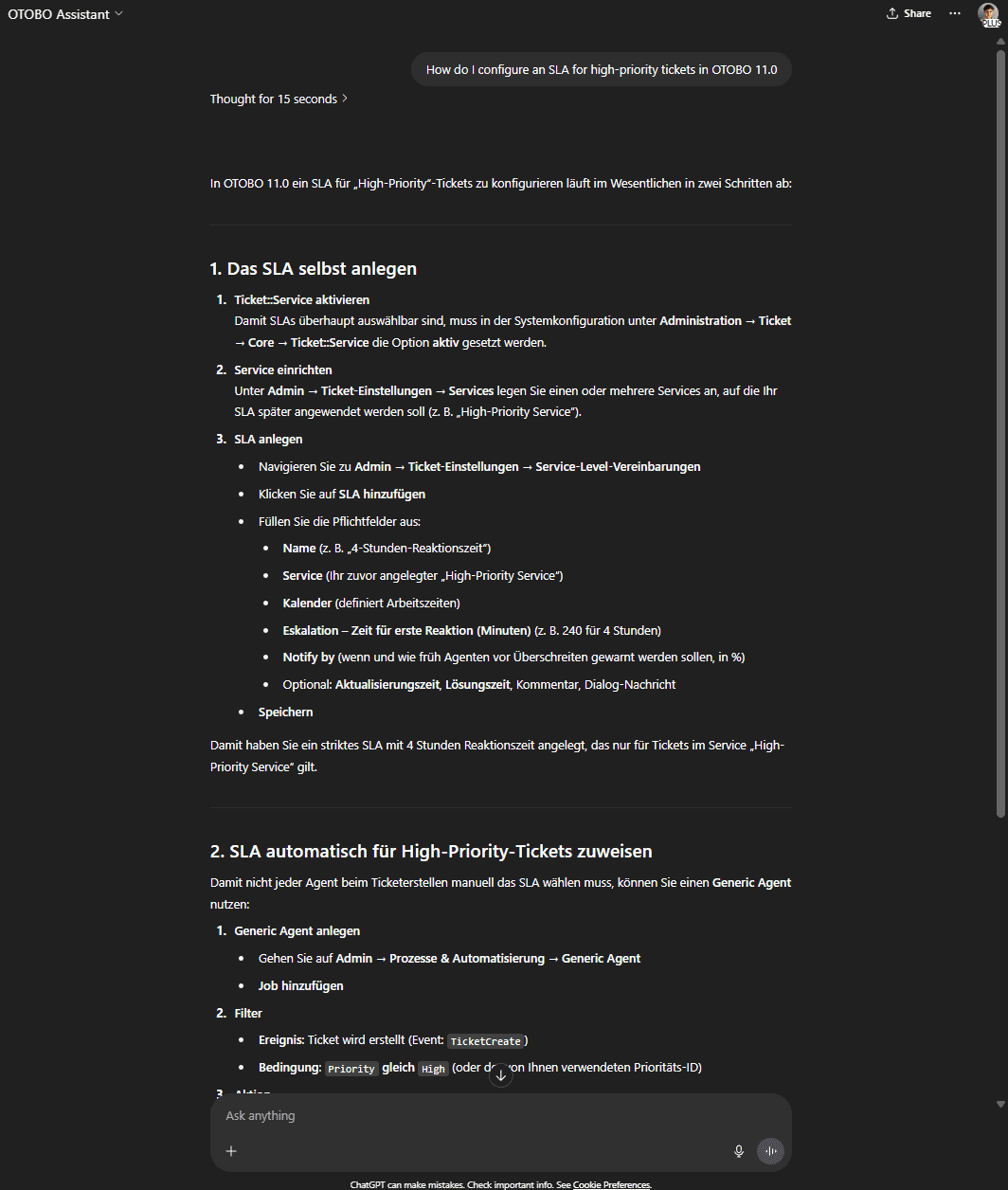
The OTOBO AI Assistant (Custom GPT) is a specialized model trained on OTOBO and Znuny documentation and best practices. It provides immediate, context- and version-dependent answers as well as automated configuration suggestions for your ticketing system.
Open the OTOBO Assistant in ChatGPT
OpenTicketAI (optional add-on)
Section titled “OpenTicketAI (optional add-on)”The Custom GPT is for questions, configuration guidance, and brainstorming. For production AI automation inside OTOBO (classification, queue routing, prioritization), see the dedicated OpenTicketAI guide — an optional on-premise add-on that integrates via the REST API.
How it works
Section titled “How it works”- Model base
The assistant uses an OpenAI model pre-tuned on official OTOBO and Znuny manuals (from OTOBO 11.0 and Znuny 6.x onwards). - Sources
It references documentation from otobo.org, znuny.org, and this community guide for up-to-date information. - Context recognition
Questions are analyzed for OTOBO version, modules used (ITSM, FAQ, TimeAccounting, etc.), and your specific use case.
How to use the Custom GPT
Section titled “How to use the Custom GPT”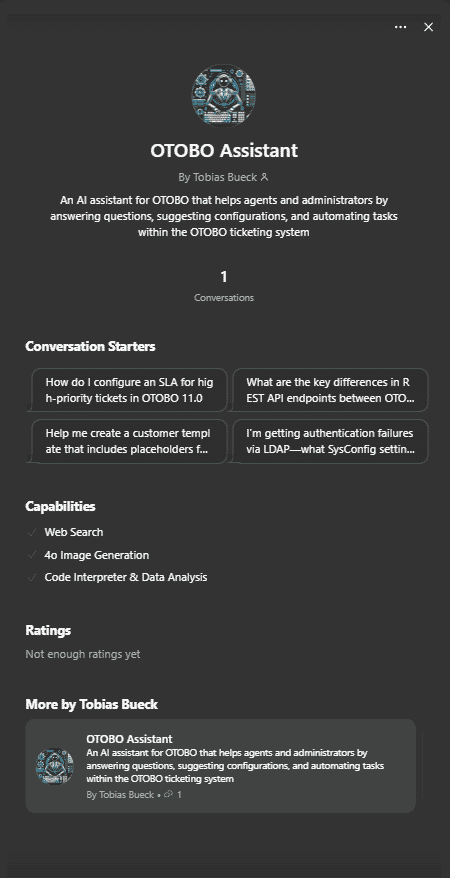
- Open ChatGPT and select OTOBO Assistant from the model menu.
- Ask in natural language, e.g. “How do I set up an SLA for high-priority tickets in OTOBO 11?”
- Review the answer — step-by-step instructions, SysConfig keys, documentation snippets, or automation suggestions.
Open the OTOBO Assistant in ChatGPT
Main features
Section titled “Main features”- Automated answers about OTOBO modules (queues, ACL, FAQ, ITSM)
- 24/7 availability for agent and administrator questions
- Documentation snippets with version notes
- Automation toolkit ideas (cron jobs, PostMaster filters, process management)
- Template suggestions for signatures, email templates, and customer layouts
Example questions
Section titled “Example questions”- “How do I configure an escalation after 4 hours for priority ‘High’ in OTOBO 11?”
- “What are the main REST API differences between OTOBO 11 and Znuny 7?”
- “Explain how to test and secure LDAP authentication in OTOBO.”
- “Generate an email template with placeholders for customer name, ticket ID, and due date.”
When to use the assistant, docs, or OpenTicketAI
Section titled “When to use the assistant, docs, or OpenTicketAI”| Use the AI Assistant for | Use the docs for | Use OpenTicketAI for |
|---|---|---|
| Quick how-to questions | Exact API parameters and copy-paste examples | Automatic ticket classification and routing |
| Exploring configuration options | Official step-by-step procedures with screenshots | Production AI automation (on-premise) |
| Brainstorming automations | Production backup, security, and upgrade procedures | Queue assignment, priority, and language detection |
For production implementations, migrations, or custom integrations, see Softoft OTOBO services or support & consulting.
Frequently asked questions
What is the OTOBO AI Assistant and what are its core capabilities?
The OTOBO AI Assistant is a specialized Custom GPT designed to provide immediate, context- and version-dependent answers regarding OTOBO and Znuny. It's trained extensively on official documentation and best practices for both systems. Its core capabilities include offering automated configuration suggestions, explaining module behaviors (like queues, ACL, FAQ, ITSM), and providing step-by-step guidance for various administrative and agent tasks. It serves as a 24/7 resource, delivering documentation snippets and automation ideas to streamline your ticketing system operations.
Quellen
How does the OTOBO AI Assistant process information and generate responses?
The OTOBO AI Assistant operates on an OpenAI model that has been specifically pre-tuned using official OTOBO and Znuny manuals, covering versions from OTOBO 11.0 and Znuny 6.x onwards. When you ask a question, the assistant references up-to-date documentation from otobo.org, znuny.org, and this community guide. A key aspect of its functionality is context recognition; it analyzes your questions for specific details such as the OTOBO version you are using, any relevant modules (e.g., ITSM, FAQ, TimeAccounting), and your particular use case to provide highly relevant and accurate responses.
Quellen
What types of questions can I ask the OTOBO AI Assistant, and what kind of support can it provide?
The OTOBO AI Assistant can answer a wide range of questions, offering support for various aspects of your OTOBO or Znuny system. You can inquire about:
- Configuration: Get SysConfig tips or step-by-step instructions for setting up features like SLAs, LDAP authentication, or email templates. For example, “How do I configure an escalation after 4 hours for priority ‘High’ in OTOBO 11?”
- Module Behavior: Understand how different OTOBO modules (e.g., queues, ACL, FAQ, ITSM) function and interact.
- REST API: Ask about REST API usage, including differences between OTOBO and Znuny versions. For instance, “What are the main REST API differences between OTOBO 11 and Znuny 7?”
- Automation Ideas: Brainstorm automation solutions using cron jobs, PostMaster filters, or process management.
- Template Suggestions: Generate templates for signatures, email responses, or customer layouts, complete with placeholders for dynamic data.
It provides automated answers, documentation snippets with version notes, and practical suggestions to help you manage your ticket system more efficiently.
Quellen
What is the key distinction between the OTOBO AI Assistant and OpenTicketAI?
The OTOBO AI Assistant and OpenTicketAI serve distinct purposes within the OTOBO ecosystem. The OTOBO AI Assistant (Custom GPT) is primarily designed for informational support, configuration guidance, and brainstorming. It helps administrators and agents by answering questions, providing SysConfig tips, and suggesting automation ideas based on its training data. In contrast, OpenTicketAI is an optional, on-premise add-on focused on production AI automation inside OTOBO. It integrates via the REST API to perform tasks such as automatic ticket classification, intelligent queue routing, and dynamic prioritization, directly impacting ticket workflows. Therefore, the Assistant is for getting answers, while OpenTicketAI is for automating actions.
Quellen
When should I choose the OTOBO AI Assistant, the official documentation, or OpenTicketAI for my needs?
The choice depends on your specific requirement:
- Use the AI Assistant for: Quick how-to questions, exploring various configuration options, and brainstorming automation ideas. It's excellent for rapid orientation and examples.
- Use the official documentation for: Authoritative, exact API parameters, copy-paste examples, and official step-by-step procedures, often accompanied by screenshots. It's crucial for production backup, security, and upgrade procedures where precision is paramount.
- Use OpenTicketAI for: Implementing production AI automation within OTOBO, such as automatic ticket classification, intelligent queue assignment, priority setting, and language detection. This is for integrating AI directly into your ticket processing workflows on-premise.
For complex implementations, migrations, or custom integrations, consulting Softoft OTOBO services or support is recommended.
Quellen
How do I access and effectively utilize the OTOBO AI Assistant?
To access and use the OTOBO AI Assistant, you need to:
- Open ChatGPT: Navigate to the ChatGPT platform.
- Select OTOBO Assistant: From the available model menu within ChatGPT, choose the “OTOBO Assistant” option. You can also directly access it via the provided link: Open the OTOBO Assistant in ChatGPT.
- Ask in natural language: Formulate your questions clearly and naturally, as you would to a human expert. For example, “How do I set up an SLA for high-priority tickets in OTOBO 11?” or “Explain how to test and secure LDAP authentication in OTOBO.”
- Review the answer: The assistant will provide a detailed response, which may include step-by-step instructions, specific
SysConfigkeys, relevant documentation snippets, or creative automation suggestions tailored to your query.
Quellen